One USB stick.
Every tool you need, verified.
USB Forge builds a multi-boot USB drive with the latest Linux installers and rescue tools. Each one is downloaded from its official project and checked against the SHA-256 that project publishes.
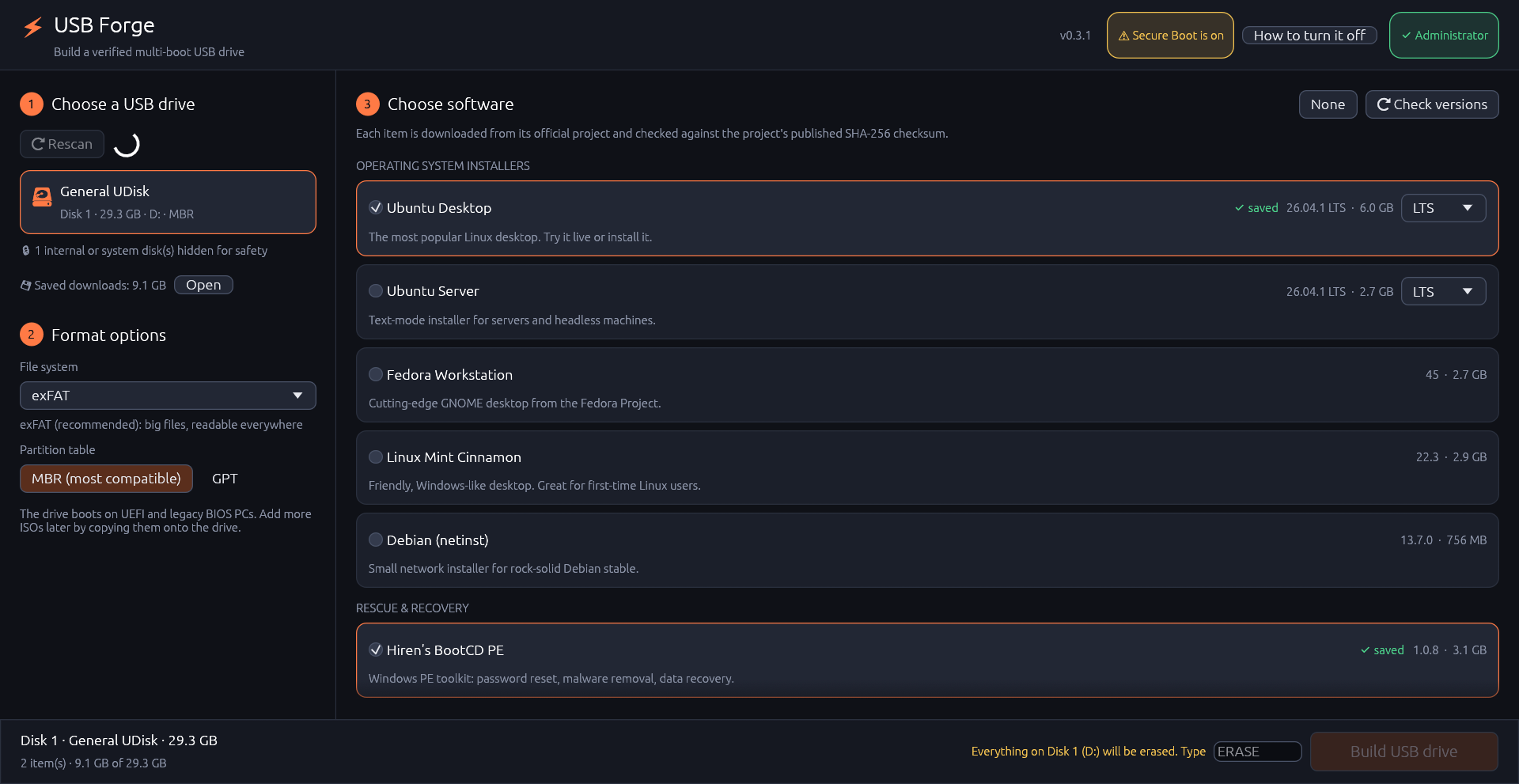
Three steps, no ISO hunting
No more visiting ten websites, guessing which version is current and skipping the checksum check.
Pick a USB drive
Only USB disks are listed. The disk your system runs from is always hidden.
Tick what you want
Installers, rescue and backup tools. USB Forge looks up the latest release of each.
Build
Everything is downloaded and verified first. Only then is the drive formatted and filled.
Built so you can trust what boots
A rescue stick is only useful if what's on it is genuine and the right disk got erased.
✔Every ISO verified
Each download is checked against the SHA-256 published by its own project, then hashed again after it's copied to the drive.
↻Always the latest
USB Forge asks each project for its current release, so your stick is never stale. Rebuild it any time.
⛨Hard to wipe the wrong disk
System and internal disks are hidden, the target is re-checked right before formatting, and you type ERASE to confirm.
✎Signed updates
The app updates itself only when a release's Ed25519 signature matches the key compiled into it.
⇣Saved downloads
ISOs are cached and re-verified before reuse, and interrupted downloads resume. Refreshing a stick only fetches what changed.
⌂Least privilege on Linux
Runs as your normal user and asks for your password (polkit) only for the format step.
What goes on the stick
Every item comes from its official project, pinned to a checksum that project publishes. Want something else? Suggest it.
| Software | Checksum source |
|---|---|
| Ubuntu Desktop & Server LTS or latest | releases.ubuntu.com SHA256SUMS |
| Fedora Workstation | fedoraproject.org releases.json |
| Linux Mint Cinnamon | kernel.org mirror sha256sum.txt |
| Debian netinst | cdimage.debian.org SHA256SUMS |
| Hiren's BootCD PE rescue | hirensbootcd.org download page |
| SystemRescue rescue | system-rescue.org .sha256 |
| Rescuezilla backup | GitHub release SHA256SUM |
| Clonezilla Live backup | clonezilla.org CHECKSUMS.TXT |
| GParted Live partitioning | gparted.org CHECKSUMS.TXT |
| Memtest86+ diagnostics | memtest.org sha256sum.txt |
A boot menu that's yours
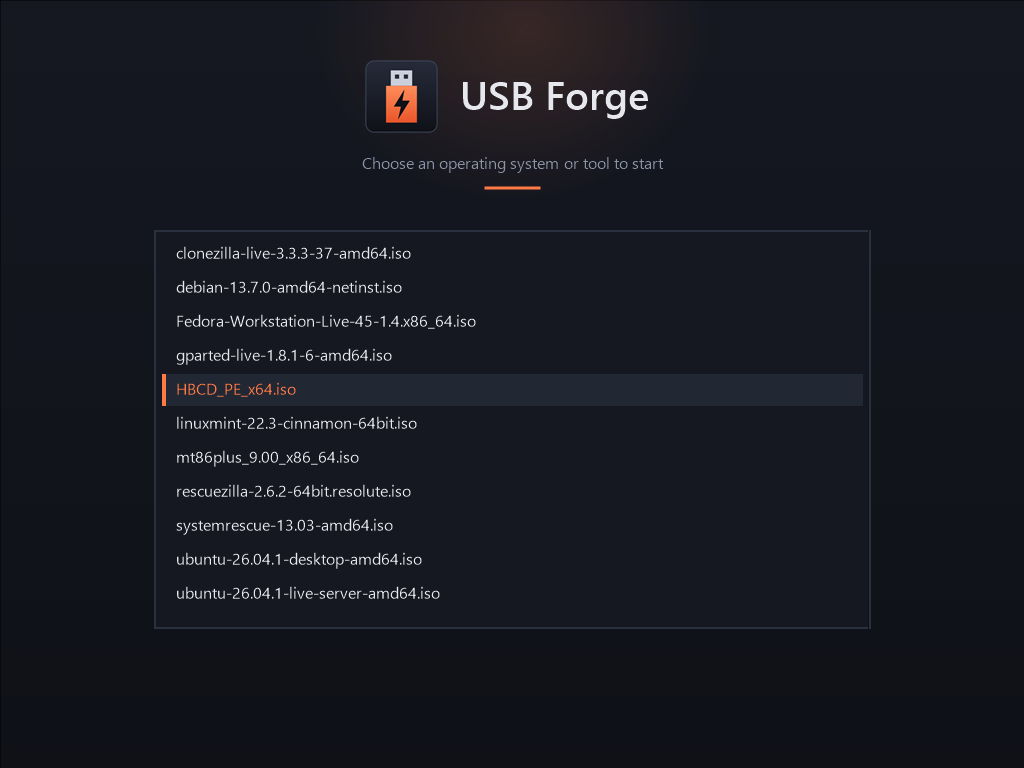
Boot any PC from the stick (usually F12, F11, F9 or Esc at power-on) and pick from every ISO on the drive. Works on UEFI and legacy BIOS.
Need something extra? Copy any ISO onto the drive in your file manager. It shows up in the menu next time. The rest of the drive still works for ordinary files.
Get started
Windows 10/11
Run usb-forge-windows-x86_64.exe and click Restart as administrator when you're
ready to format. If SmartScreen says "Windows protected your PC", choose More info → Run anyway.
Linux
chmod +x usb-forge-linux-x86_64
./usb-forge-linux-x86_64
Works on Ubuntu, Debian, Fedora, Linux Mint, Arch and other mainstream desktops
(needs udisks2 and polkit, installed by default).
Questions
Is it really free?
Yes. USB Forge is MIT-licensed, has no ads and sends no telemetry. It only contacts the catalog projects' sites and official mirrors, and GitHub to check for updates.
Does it work with Secure Boot?
The app tells you when Secure Boot is on. Some tools only start with it turned off; the vendor guide shows how for common PCs.
My USB drive isn't listed.
Only USB disks the system isn't using are shown. Run usb-forge --list-disks to see every disk and why it was hidden.
How do I check a download myself?
Each release lists SHA-256 checksums in SHA256SUMS.txt and Ed25519 signatures next to the binaries. See
SECURITY.md.